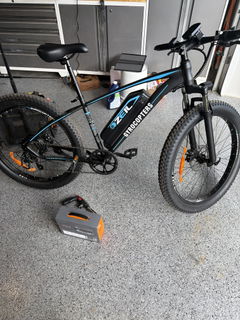
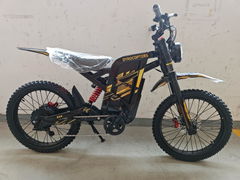
Before your first ride on the Gyrocopters Flash Pro Max, read the User Manual carefully. Have someone nearby to help you balance and ride safely.
Your cart
Your cart is empty


Skeleton text
Skeleton text
Skeleton text
Skeleton text
Skeleton text
Skeleton text
Skeleton text


Store locator
Gyrocopters Flash Max Pro Electric Scooter Replacement Parts
$42.00
4200
Ensure your Gyrocopters Flash Pro Max maintains its 40km range and 500W power output. Our official replacement parts, from 10-inch high-traction tires to smart-sync chargers, are engineered to protect your scooter’s integrated technology and rider safety.
SKU: PRTFLASHPROMAXTIRE
<p>Earn%20[points_amount]%20when%20completing%20this%20purchase.</p>
Hurry, only 1 items left!
Pickup Savings
When you choose to pay at pickup during checkout, we'll apply a special pickup discount when you arrive.
Price Match Guarantee
We check our prices every day to ensure we can bring you the best price possible. In the unlikely case that you have found a cheaper price then please contact us at customercare@imgadgets.com and we'll do our best to answer your query right away! Learn more about our Price Match Guarantee.
Buy Now, Pay Later.
Shop with confidence and flexibility by choosing Shop Pay Installments at checkout. This seamless "Buy Now, Pay Later" option allows you to split your purchase into four interest-free payments or affordable monthly plans, making it easier than ever to upgrade your workspace today while staying in control of your budget. With no hidden fees, no late charges, and an instant approval process that won't impact your credit score, you can bring home the latest tech now and pay over time with total peace of mind.
Flexible Delivery
We offer free expedited shipping on all orders within Canada. Most orders are processed in our warehouse within 1 business day, so your items are ready to ship quickly. Please note that this is our processing time; delivery times will vary depending on your location and the carrier. Read more about our Shipping Policy.
Fast Charging
Smart-interface 42V 1.5A chargers designed to sync perfectly with the Flash Pro Max battery management system for rapid and safe energy recovery.
Strong and Durable Build
Professional-grade 10-inch tires and reinforced inner tubes built to sustain the 500W motor's torque and provide a smooth, stable ride.
Built-In Safety
Certified electrical components and high-strength hardware sets rigorously tested to meet Canadian safety standards for high-speed adult commuting.
Comfortable Ride
High-impact rubber compounds and vibration-dampening tire designs that restore your scooter’s original "Pro Max" handling and ride quality.
Keep Your Flash Pro Max Performing at Its Bes
The Gyrocopters Flash Pro Max is a sophisticated smart scooter that requires precision-engineered hardware to function safely. At IMGadgets, we provide the exact parts required to maintain your 30km/h speed and smart-app integration. Buying direct from the Canadian safety leader ensures your e-mobility investment stays road-ready and reliable.
High-Performance Smart Charging Features
Maintain your 40km range with our official 42V 1.5A power adapters. Unlike generic chargers found on marketplaces, our units are specifically calibrated to prevent overheating and overcharging, protecting the long-term health of your high-capacity Flash Pro Max battery cells.
Pro-Series 10-Inch Tire & Tube Sets
The Flash Pro Max relies on its 10-inch tire profile for superior shock absorption and ground clearance. Our replacement tires and inner tubes are manufactured from heavy-duty rubber compounds, designed to handle the increased power of the 500W motor while providing maximum grip on diverse Canadian road surfaces.
Professional Maintenance & Winter Care
To ensure peak performance, remember that low temperatures can affect battery capacity and internal lubrication. We recommend a thorough check of your tire pressure and electrical ports every 100km. For winter storage, keep your battery charged to at least 50% to prevent cell degradation.
What’s Included?
- 1 x Selected Flash Pro Max Replacement Part (Charger, Tire, or Inner Tube)
- Access to Gyrocopters Expert After-Sale Service
- 30-Day Exchange Guarantee against manufacturer defects
- Note: Always refer to your Flash Pro Max User Manual for specific installation steps.
Authenticity Guaranteed
Our GYROCOPTERS products are authentic and certified. With over 15 years of industry-leading expertise, we are a proudly Canadian-owned and operated company dedicated to delivering the latest trending tech to our customers.
- Choosing a selection results in a full page refresh.
- Opens in a new window.